Introduction
The codeit Verbatim Panel has the ability to filter records that have had codes applied automatically by the AI.
This is useful if you want to focus in on the autocoded records to check and validate them.
Steps Required
To filter on records that have been autocoded, click the "Show Autocoded Records" button in the Toolbar Buttons.

This will show a dropdown allowing you to filter on all autocoded records or focus in on a specific autocoding method.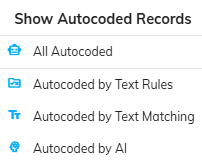
Click one of these options to filter in on the required autocoded records.
Example
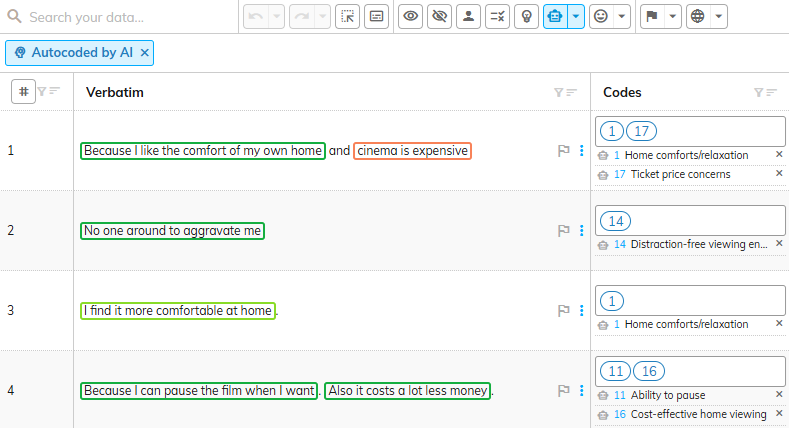
In the following screenshot, verbatims are filtered on only those autocoded by the codeit AI.