Introduction
Surveys in Forsta Plus can make use of the "Text List" question type.
There are some special considerations to be aware of if you want to use to codeit to code verbatims from a "Text List" question.
What is a Text List Question?
A Forsta Plus Text List question will display a list of text boxes to the respondent, and ask them to enter a separate text response in each.
For example: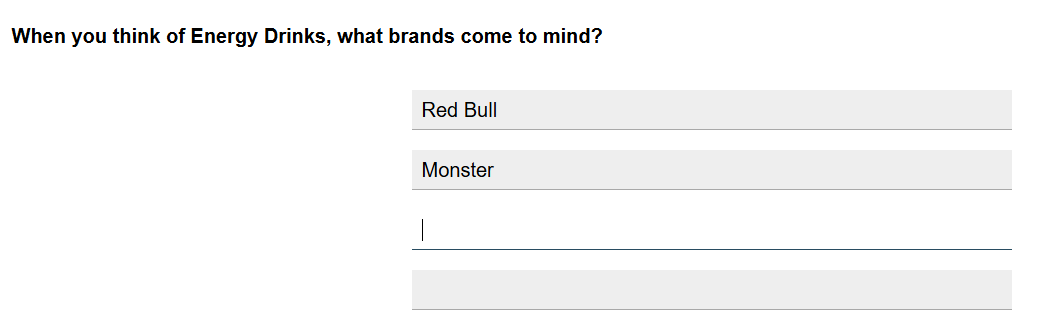
In the survey definition, Text List questions contain a list of answers, and a text box is shown to the respondent for each answer defined.
How to code a Text List Question in codeit?
When you use the codeit Data Link Wizard to connect to a Forsta Plus survey, any Text List questions in the survey will be displayed for selection within the "Source Variables" tab.
When you sync survey data to codeit, each separate response will be loaded into codeit as a separate verbatim for coding.
However, because a Text List question can contain multiple verbatim responses, once each verbatim is coded, this will result in a set of code(s) applied to each verbatim. The challenge therefore, is how to store this coded data in Forsta Plus.
We cannot use a regular "Single Choice" or "Multi Choice" question to store the coded data, because these only have the capacity to store the coding for a single verbatim.
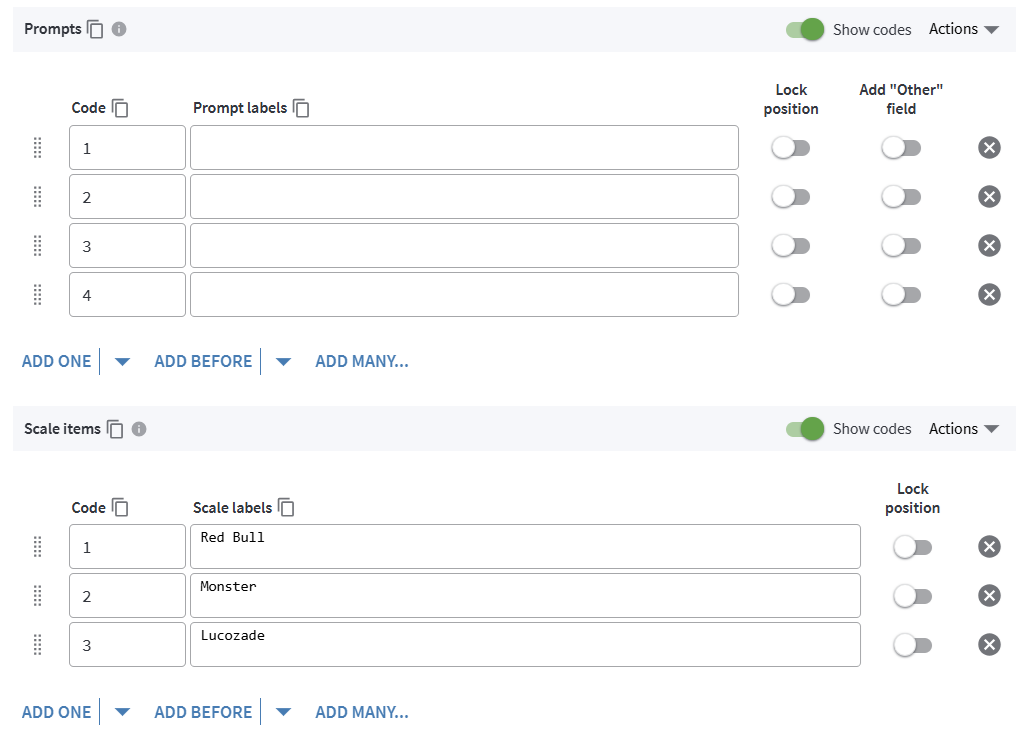
Instead, codeit expects that the coded data for a Text List question will be written back to a Grid question.
The Grid question should contain the same number of Prompts as Answers in the Text List question. These are essentially the rows where the coding for each verbatim will be stored.
The "Scale Items" in the Grid question will be used as the codeframe for the coding task in codeit.
For example: