Introduction
If you are coding a multi-lingual project, you may want to define translations for each of the theme labels in your codeframe. It can be useful for native speakers to have a version of the codeframe in their own language. It can also improve the accuracy of the autocoding, for example when coding brands, to have spellings of each theme in each local language.
To add translations to a codeframe you can use the "Add Translations" codeframe action.
Steps Required
To add translations to a codeframe, follow these steps:
- Click the "Codeframe Actions" icon towards the top right of the Codeframe Panel.
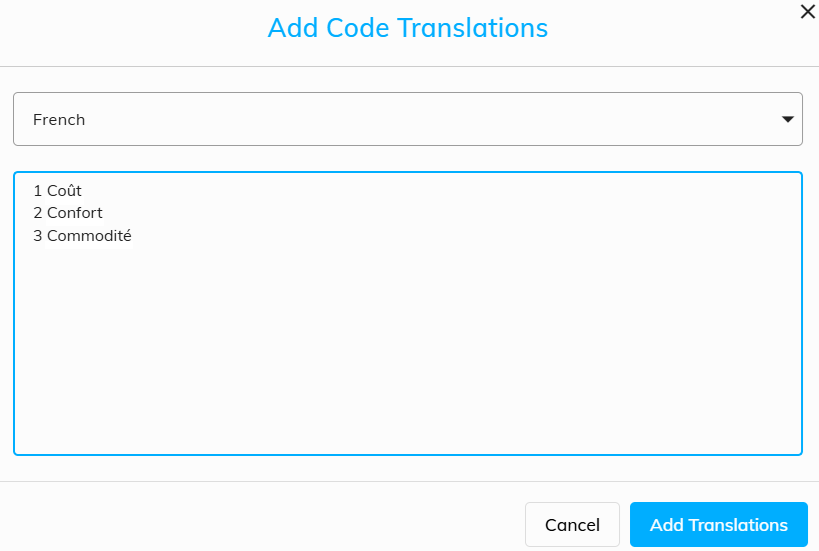
- In the "Add Translations" dialog, select the translation language and paste in one or more translations, including the relevant code value as an identifier, separated by a space.
Click the "Add Translations" button to save the translations
Example
The following screenshot shows three French translations being added to a codeframe: