Introduction
The Copy Project Project data tool allows you to copy a Project.
Accessing the Data Tool
From the Data Tools panel within the Project Details page, click the "Copy Project" button.
Steps Required
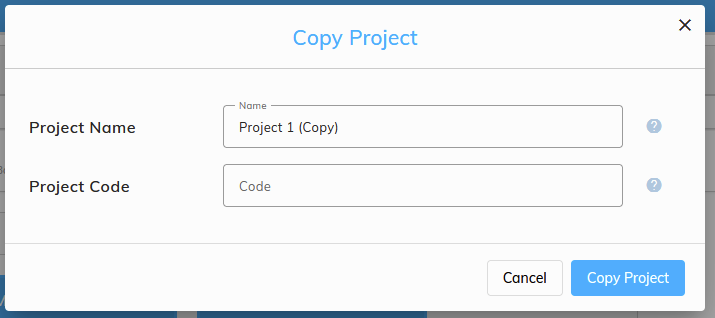
- Click the "Copy Project" button (see above) - a dialog will appear.
- Choose a unique Project Name and Project Code for the copied project
- Click the "Copy Project" button to start the process of moving the Project from the origin to the selected target.