Introduction
The sorting features within the Codeframe Panel gives you the ability to change the display order of items within a Codeframe.
At different times it may be useful to see the Codeframe contents in a different order, e.g. in frequency order to more easily see the most frequently used codes.
Changing Sorting
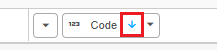
To change the ordering of a Codeframe, use the sorting dropdown in the top-right corner of the Codeframe Panel.
The sorting options available in this dropdown are as follows:
| Option | Description |
|---|---|
| Sorted (User Defined) | The default sort order of the Codeframe. Items can be reordered manually |
| Code | Sorts according to the Code assigned to each Theme and Net |
| Alphabetical | Sorts according to the text label assigned to each Theme and Net |
| Frequency | Sorts according to the number of times a Theme or Net has been applied within the current data selection |
Sort Ascending/Descending
The sorting can either be in Ascending or Descending order. The current sort order is signified by an up arrow (ascending order) or down arrow (descending order).
Clicking this arrow toggles between Ascending and Descending order.