
Introduction
After you have used the "Run AI" option in codeit, you will most likely want to check and refine the coding applied by the AI.
In particular, you may want to look for any gaps in the coding and apply missing codes to ensure coding for each verbatim is complete. This is particularly important if you use the "Maximise Coding" option which prioritises coding as many verbatims as possible, regardless of gaps.
Rather than checking each verbatim individually, codeit provides a "Coverage" measure that helps guide you towards verbatims where gaps may exist.
This page outlines the steps required to use this coverage measure when refining autocoding.
Steps
- From the Start Menu choose the "Refine Coding" option to enter the manual coding screen
- If the "Coverage" column is not displayed, click the "Settings" button from the top-right of the screen:

Within the "Additional Data" tab, tick the "Coverage" checkbox: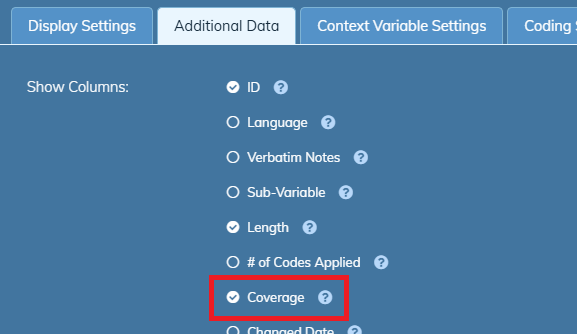
- You should now see a "Coverage" column displayed. The percentage value in the column indicates the percentage of the verbatim text that is covered by the codes applied by the AI.
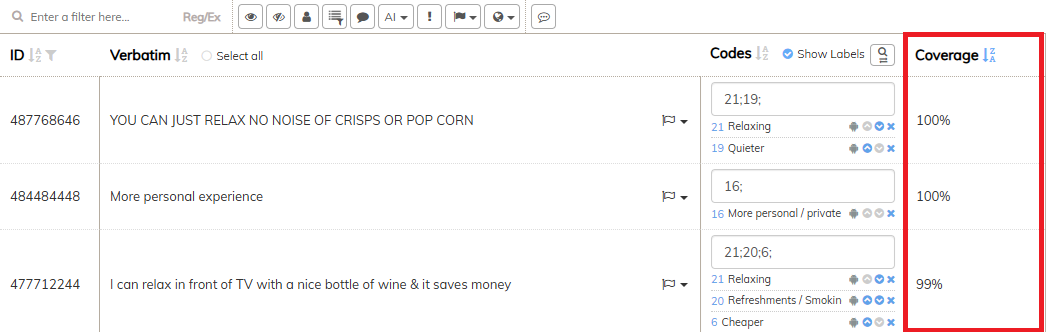
By sorting on this column, you can quickly focus on the verbatims where the greatest or least gaps exist. - If you further filter the data on "Coded" verbatims, or "Coded by AI" verbatims (see here) codeit will highlight the "Covered" areas of text within the verbatim and make any gaps more apparent.
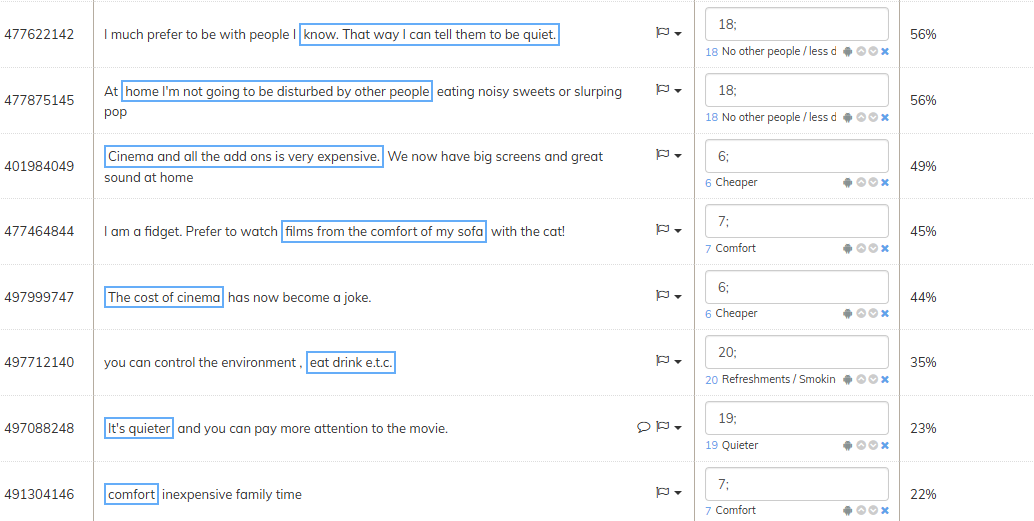
You should be able to quickly review these verbatims and decide if any additional codes need to be applied.