Introduction
When working in the Manual Coding screen, sometimes it's useful to load in additional data from other Tasks.
For example, you might want to load data from a previous Wave for comparison, or you might want to load uncoded data from another Task or Project so you can code the data together in one go.
Within the Manual Coding screen the Toolbar Panel contains an Additional Source Data button allows you load pull in additional data from any Project, Task and Wave so long as the Task shares the same Codeframe as the currently loaded Task.

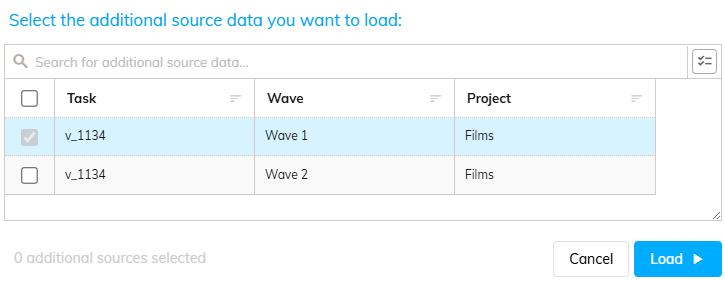
Clicking this button will show a dialog allowing you to choose which additional data you want to load.
The list will include all Tasks (across all Projects) that share a Codeframe with the current Task.
Additionally, the list is also broken down by Wave, for more fine-grained control of the data to load.
As this list may be long, there is a Search box at the top that can be used to narrow down the list.
To select a given Task/Wave for loading tick the checkbox on the appropriate row (the current task will be checked by default).
Once you have selected all of the required Tasks/Waves, press the "Load" button to load the selected data into the Manual Coding screen.