Introduction
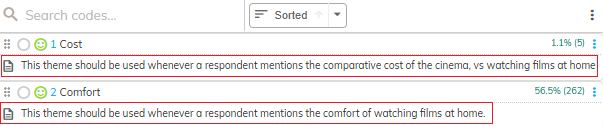
Within the Codeframe Panel you can choose, via the Settings, whether to show descriptions beneath each of the themes in the codeframe.
Descriptions are used to provide a more detailed explanation of a theme, for example, when it should be applied, its intended purpose and example phrases that would qualify as that theme.
Descriptions can either be entered/edited manually or automatically created by the Extract process.
Displaying descriptions on screen can help users to better understand how the themes should be used and which themes should be applied in given circumstances.
Steps Required
To show descriptions with your codeframe follow these steps:
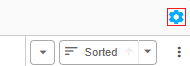
- Click the cog icon in the top right of the Codeframe Panel
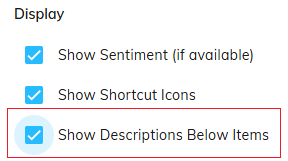
- Tick the "Show Descriptions Below Items" checkbox within the "Display" section
Example
In the following screenshot, two themes are displayed within a codeframe with a description displayed beneath each.