Introduction
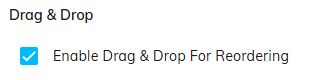
Within the Codeframe Panel settings in codeit you have the option of toggling on or off the ability to reorder Nets and Themes using Drag & Drop.
Reordering Using Drag & Drop
If Drag & Drop Reordering is enabled, you can manually change the default ordering of Themes and Nets within a Codeframe. For details on how do this, see here.
Steps Required
To change the Drag & Drop Reordering setting, follow these steps:
- Click the cog icon in the top right of the Codeframe Panel
- Toggle on/off the "Enable Drag & Drop For Reordering" setting within the Drag & Drop section: