Introduction
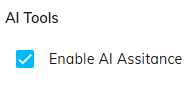
Within the Codeframe Panel settings in codeit you have the option of toggling on or off the codeframe AI Assistance features.
Features Included
Toggling on or off this setting enables or disables the following features:
| Feature | Description |
|---|---|
| Duplicate Checking | When manually adding a Theme, codeit will perform a check and warn you if the new Theme is similar to a Theme already in the Codeframe. |
| Split Theme | Automatically suggests smaller Sub Themes that a Theme could be split out into. |
Steps Required
To change the AI Assistance setting, follow these steps:
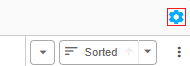
- Click the cog icon in the top right of the Codeframe Panel
- Toggle on/off the "Enable AI Assistance" setting within the AI Tools section: