
Introduction
It is sometimes useful to have fine-grained control of the exact ordering of Themes and Nets within a Codeframe.
Each Codeframe has a natural, default ordering that can be manually adjusted within the Codeframe Panel.
There are two ways to move items around within a Codeframe: Drag & Drop and Theme/Net actions.
Drag & Drop
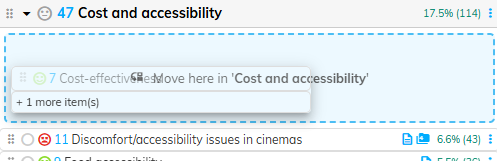
The most intuitive way to move items around within a Codeframe is to simply drag them from one position into a different position.
To achieve this, follow these steps:
- Ensure that Drag & Drop Reordering is enabled. For details on how to enable this feature, see here.
- Ensure that the Codeframe sort order is set to "Sorted" (see here for details). For other sort orders (e.g. Frequency or Code) it doesn't make sense to manually reorder items because the sort order takes precedence over custom ordering.
- Select the Theme or Net you want to move, or multiselect a set of Themes or Nets.
- Click and hold the drag handle move the items from their current position.

- Drag the item(s) to the desired location within the Codeframe and release the mouse to drop them into that location
Net Actions
As an alternative to Drag & Drop, you can also reorder Codeframe contents relative to a Net using Net Actions.
To achieve this, follow these steps:
- Select the Net(s) or Theme(s) you want to move
- Click the Net Actions button on the target Net you want to move to:
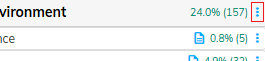
- Select the relevant move action from the context menu.
If you are moving Nets you can move the selected Nets before or after or inside the target Net: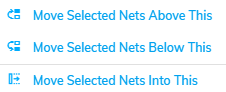
If you are moving Themes, you can either move the Themes into the top of the target net or at the bottom:
Theme Actions
As an alternative to Drag & Drop you can also move Themes using Theme Actions.
To achieve this, follow these steps:
- Select the Theme(s) you want to move
- Click the Actions button button on the target Net or Theme you want to move to:
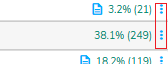
- Select the relevant move action from the context menu.
If you are moving Themes into a Net, you can either move the selected items into the top or bottom of the target Net:
If you are moving Themes towards another Theme you can either move the selected items before the target Theme or after it: