
Introduction
Within the Codeframe Panel, you can perform a number of actions at the Codeframe level.
For example, Add a Theme, Apply Text Rules and Renumbering.
These actions are grouped together within a single menu accessible from the Codeframe Panel.
Steps Required
- Click the "Codeframe Actions" icon towards the top right of the Codeframe Panel.
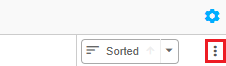
- Select the relevant action from within the Codeframe Actions menu
Supported Features
The following table contains a brief description of the actions available and links to further information.
| Action | Description |
|---|---|
| Add Theme | Add a single theme to a codeframe |
| Add Net | Add a single theme to a codeframe |
| Add Multiple Items | Add multiple items (nets or themes) to a codeframe |
| Add Existing Items | Add pre-existing items (nets or themes) to a codeframe Pre-existing items can be drawn from a codeframe in another Task or Project or from your Codeframe Library |
| Add Translations | Add theme label translations to a codeframe |
| Apply All Text Match Rules | Apply all Text Rules defined within the current codeframe and any associated autocoding |
| Renumber Codeframe | Renumber the code values for all codes and/or nets within the codeframe using the Renumber Codeframe tool |
| Spellcheck Codeframe | Runs the codeit Codeframe Spellchecker |
| Delete Unused Codes | Deletes all unused (i.e. codes with a count of zero) from the Codeframe in a single action. Additionally provides the option to delete Nets that are either empty, or will become empty after the unused Themes are deleted. |
| Show Codeframe Log | Displays a list detailing the changes made t |
| Refresh Codeframe | Reload the codeframe within the Codeframe Panel to ensure you have the latest version |